Standard IPTV Channel Bouquets
Explore common channel category breakdowns and use our interactive search to understand playlist grouping.
Premium Sports 4K & FHD
50 FPS / 60 FPS Ultra SmoothDedicated live football, basketball, motorsports, and combat sports. Requires high framerate video decoders for fast ball tracking.
Cinema & Pay-Per-View
24/7 Movie FeedsContinuous commercial-free movie broadcasts categorized by action, comedy, horror, sci-fi, and box office premieres.
Worldwide Live News
Continuous Global FeedsReal-time coverage from major international news networks. Low-bitrate friendly and rarely suffers from server peak congestion.
Kids & Family Animation
Child-Safe ChannelsCartoons, educational shows, and animated movies. Best configured inside players using parental control PIN locks.
North American Channels
USA & Canada Local NetworksMajor regional network affiliates (ABC, CBS, NBC, FOX) along with Canadian national broadcasters.
European & Middle Eastern
UK, France, Spain, ArabicNational broadcast packages organized by country, language, and specific satellite orbital positions.
M3U vs Xtream Codes Explained
Choosing the right protocol determines how quickly your player loads channels, posters, and electronic program guides.
M3U & M3U8 Playlists
The original format. An M3U file is essentially a text index. Each channel entry begins with an #EXTINF directive detailing the channel name, logo image URL, unique EPG identifier, and group category.
Pros: Universal support on all media players (VLC, Kodi).
Cons: Files with 20,000+ items can cause older devices to freeze while downloading the entire text index.
Xtream Codes API
The industry benchmark. Rather than downloading one enormous text file, your IPTV player communicates with the streaming server via structured JSON endpoints.
Pros: Instant start-up, VOD series episode tracking, auto-syncing EPG guide.
Cons: Requires modern players that support API logins (Smarters, TiviMate, XCIPTV).
Complete EPG (XMLTV) Guide
An Electronic Program Guide turns a raw list of stream URLs into an interactive television experience with program descriptions and schedules.
How EPG Matching Operates
For your player to know what is playing on a channel, it matches the tvg-id in your playlist with the corresponding <channel id=""> in the XMLTV file.
Fixing Timezone Discrepancies
If your program guide displays that an 8:00 PM football match is starting at 7:00 PM or 9:00 PM, your EPG source is set to a different GMT timezone. In TiviMate or Smarters, go to Settings > EPG > Time Offset and adjust by +1 hour or -1 hour until the current live show matches your wall clock.
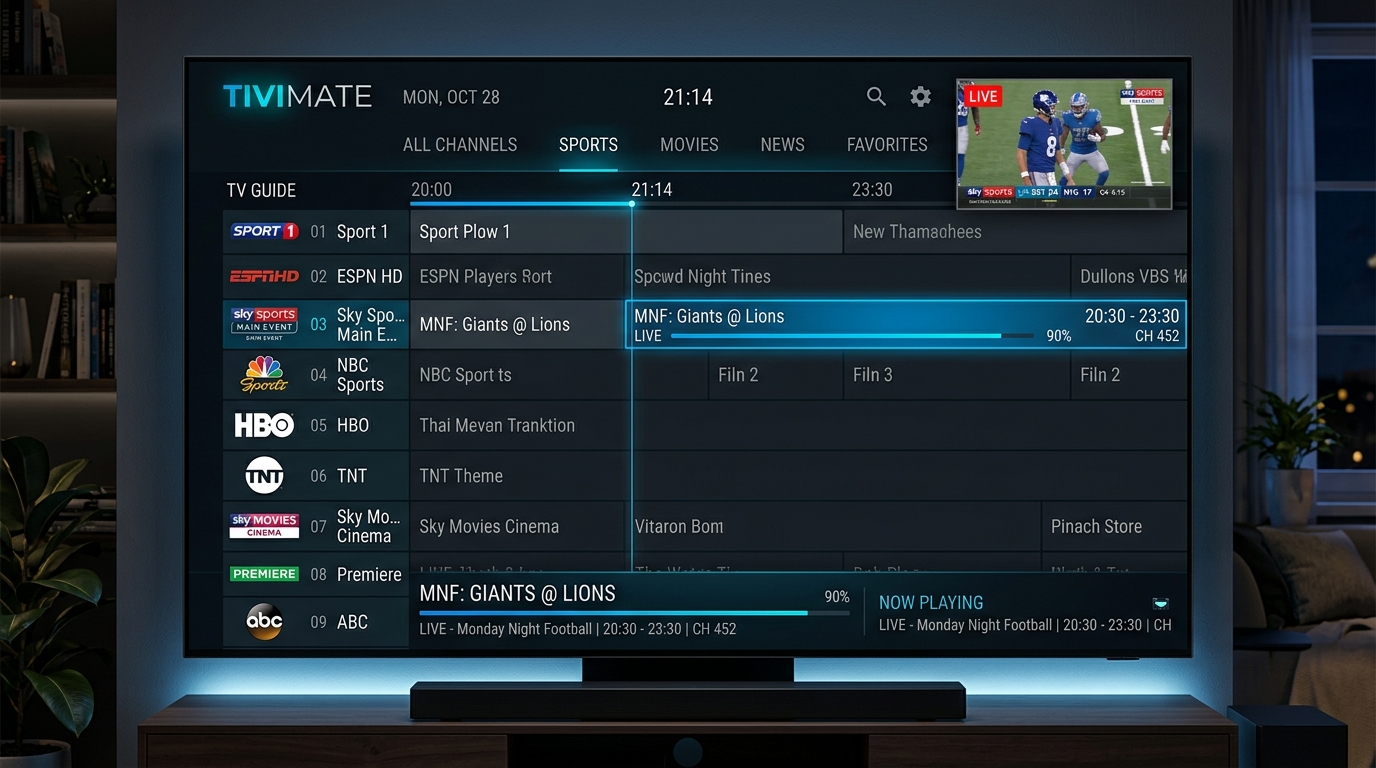 TiviMate EPG Live Program Guide
How to Fix Buffering & Freezing
Diagnose and resolve the most common causes of streaming stutter, audio sync delay, and black screens.
1. Bypass ISP Throttling (VPN)
Peak Hours SolutionMany Internet Service Providers actively detect IPTV data packets during major weekend live sports events and throttle speed to 2 Mbps, causing continuous freezing.
2. Adjust Player Buffer Size
Cache Pre-LoadingBy default, some apps set the buffer size to "None" for instant channel switching. If your connection has momentary micro-jitter, playback freezes immediately.
3. Hardware vs Software Decoder
GPU ProcessingHigh-bitrate 4K UHD and 60 FPS sports channels will overheat low-power Firestick processors if decoded via software (CPU).
Recommended Internet Speeds per Video Quality
| Stream Resolution | Framerate | Recommended Bitrate | Minimum Internet Speed | Connection Type |
|---|---|---|---|---|
| 4K Ultra HD (2160p) | 50 / 60 FPS | 15 - 25 Mbps | 50+ Mbps | Ethernet LAN or 5GHz Wi-Fi |
| Full HD (1080p) | 50 / 60 FPS | 6 - 10 Mbps | 25+ Mbps | 5GHz Wi-Fi or 2.4GHz strong |
| HD (720p) | 30 / 60 FPS | 3 - 5 Mbps | 15+ Mbps | Standard Wi-Fi |
| SD (480p / 576p) | 25 / 30 FPS | 1.5 - 2.5 Mbps | 8+ Mbps | Mobile 4G / Basic Wi-Fi |