The Definitive Guide to IPTV Players & Channels
Learn how to install, configure, and optimize top IPTV media players like IPTV Smarters Pro, TiviMate, IBO Player, and XCIPTV. Featuring step-by-step visual screenshot tutorials and channel EPG guides.
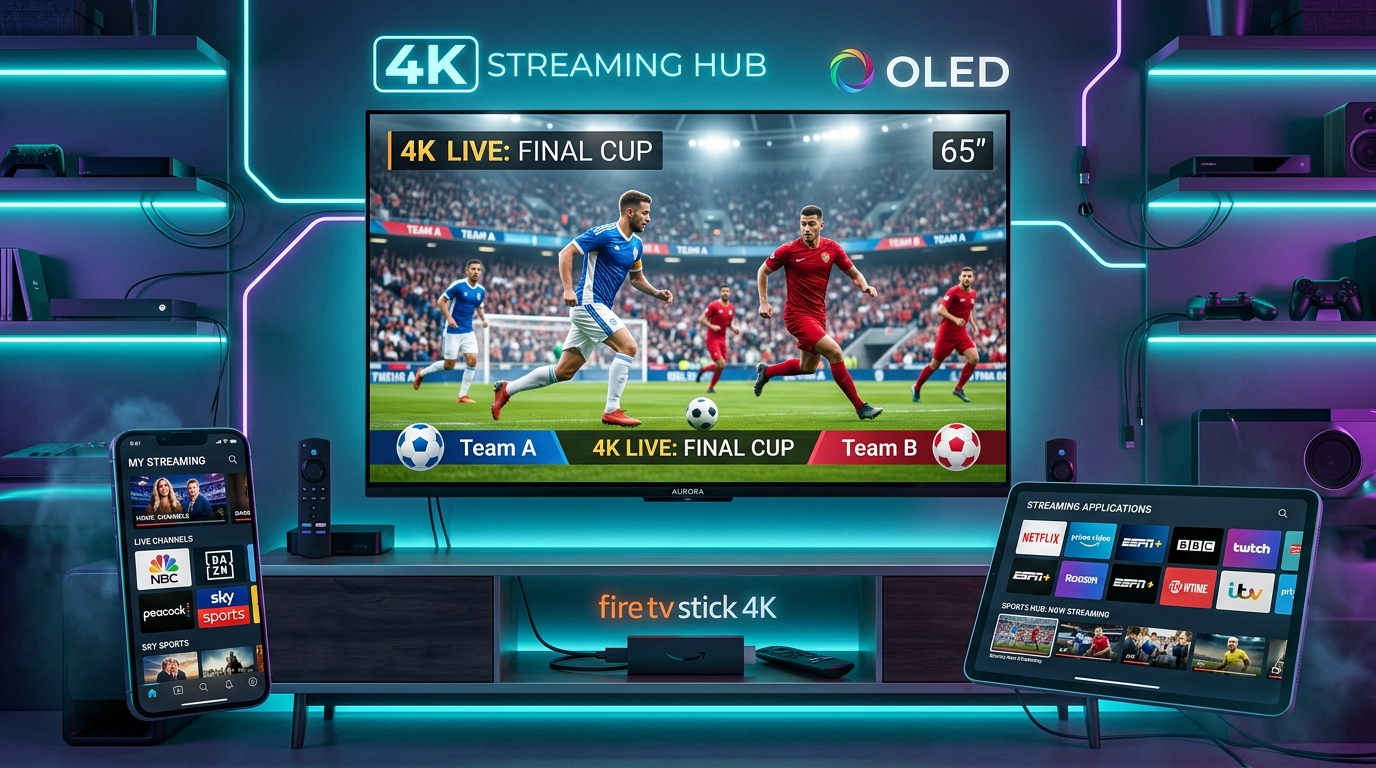
Top Recommended IPTV Players
We benchmarked video decoders, EPG caching speed, playlist loading, and UI responsiveness across smart TVs and streaming sticks.
IPTV Smarters Pro
The global standard for IPTV streaming. Supports Xtream Codes API, M3U playlists, multi-screen viewing, parental controls, and external player integration.
TiviMate IPTV Player
Engineered specifically for Android TV and Firestick. Offers an unmatched cable-like TV Guide interface, multi-playlist management, scheduled recording, and catch-up TV.
IBO Player
Fast, lightweight, and native to Samsung Tizen and LG webOS Smart TVs. Activate instantly via Device ID & Device Key web portal without typing long M3U URLs with a TV remote.
XCIPTV Player
Equipped with built-in ExoPlayer and VLC Player engines for adaptive HLS streaming. Features sleek dashboard widgets, VOD movie sections, backup & restore, and parental control locks.
Step-by-Step App Setup Tutorials
No guesswork. Follow high-resolution television screenshots showing every credential field, playlist format, and settings menu.
IPTV Smarters Pro: Xtream Codes API Setup
Launch the application on your Firestick or Smart TV, select "Login with Xtream Codes API", and enter your profile credentials. Xtream API automatically loads categories, posters, and EPG channels in seconds.
http://yourprovider.url:8080) in the Server URL field to prevent connection timeout errors.
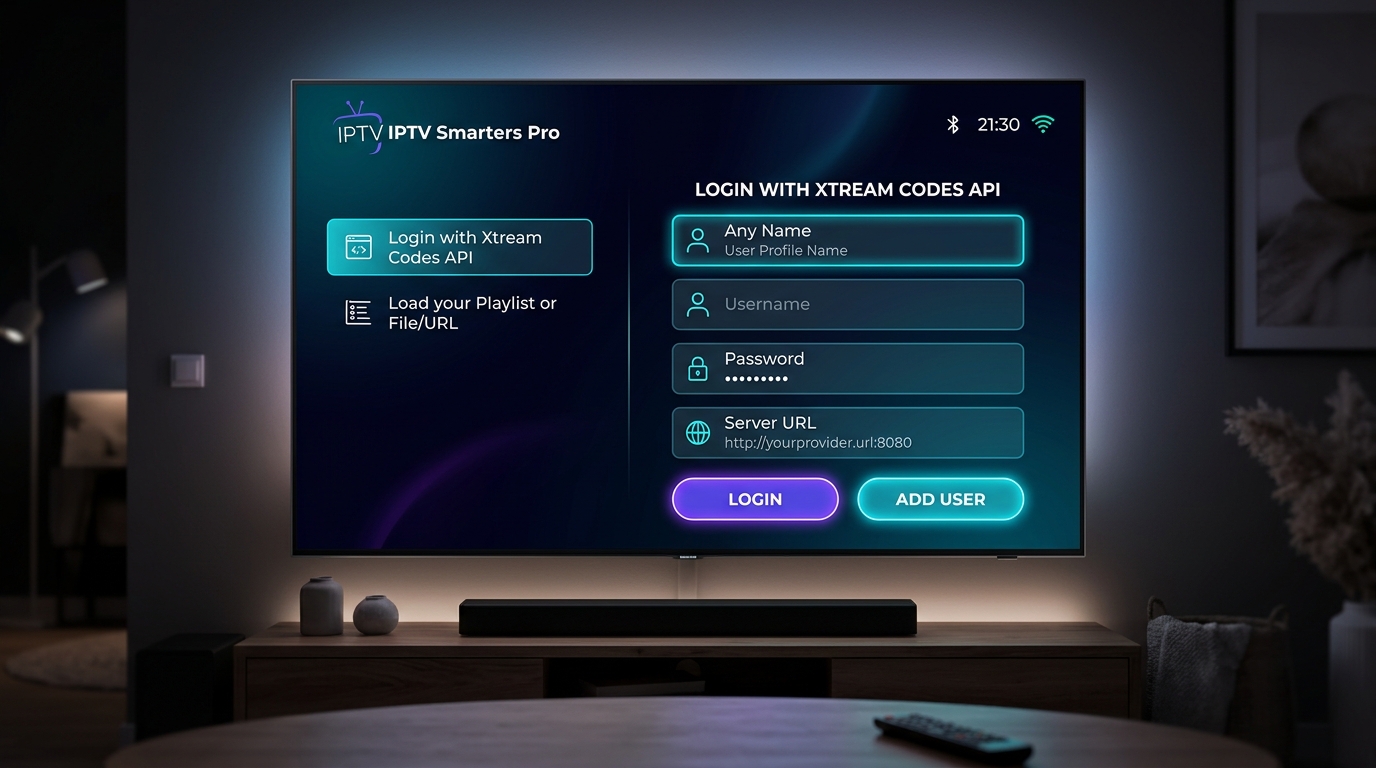 IPTV Smarters Pro • Login Screen
TiviMate: TV Guide & EPG Configuration
Experience cable-style channel navigation. Add your M3U or Xtream playlist, then link your EPG XMLTV source. TiviMate populates live program timelines, match kick-offs, and show synopses seamlessly.
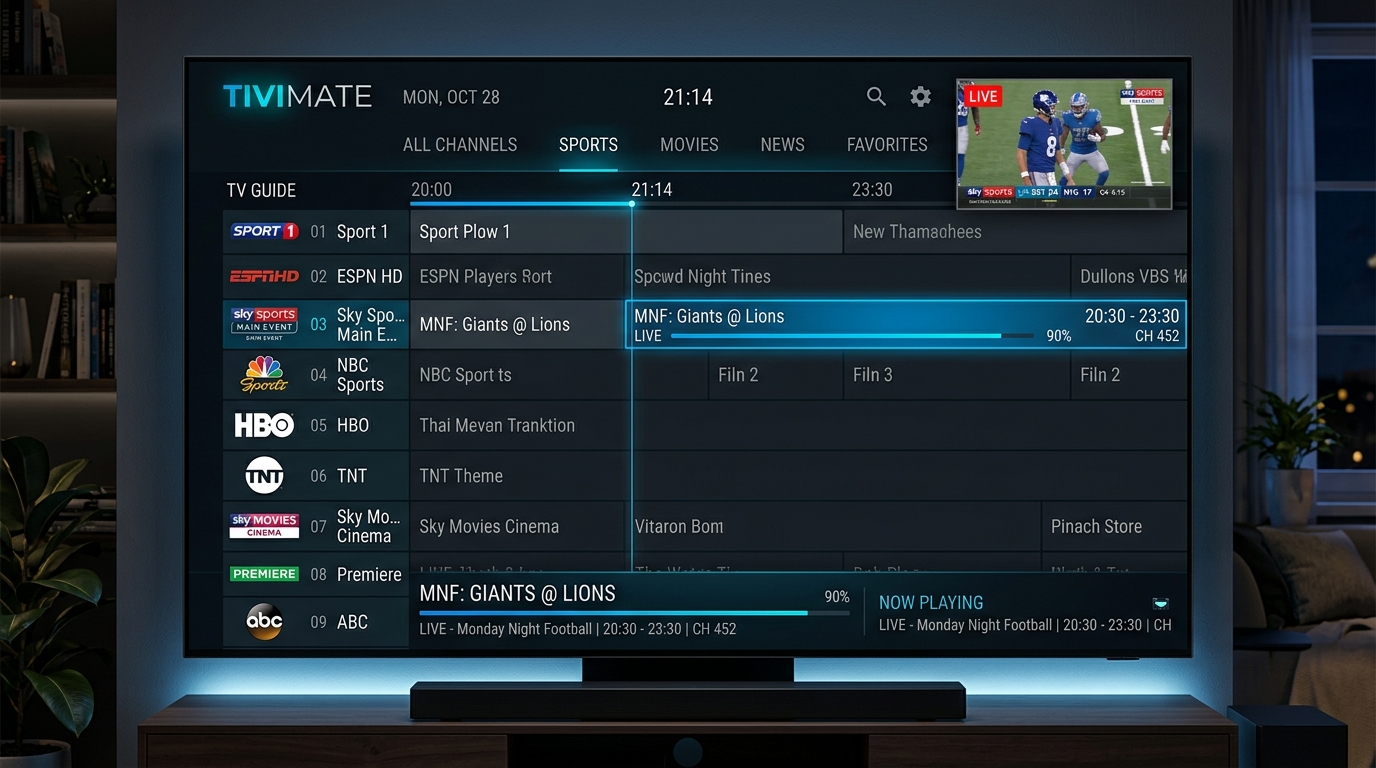 TiviMate Player • EPG Grid Guide
IPTV Channels & Categories Guide
Learn how modern IPTV playlists structure thousands of live channels, 4K UHD sports feeds, video-on-demand, and regional broadcasts.
Live Sports & PPV
Football, NBA, F1, UFC, TennisHigh-framerate 50fps and 60fps live sports broadcasts. Optimized for low-latency live action without stutter.
Movies & Cinema
HBO, Sky Cinema, Premium 4K24/7 dedicated movie channels in Full HD & 4K UHD with multi-language Dolby Digital audio tracks and subtitles.
Global & Local News
BBC, CNN, Sky News, Al JazeeraReal-time breaking international news coverage and localized regional feeds with 24/7 continuous broadcast streams.
International Packages
USA, UK, France, Arabic, Spain, ItalyCategorized by countries and languages, allowing easy filtering of regional entertainment and national television networks.
M3U & M3U8 Playlist Format
A plain text file containing stream links and metadata directives like #EXTINF, channel logo URLs, and group titles.
Xtream Codes API Format
The preferred modern format. Instead of parsing massive M3U text files, apps fetch JSON data on-demand for lightning-fast loading.
Frequently Asked Questions
Everything you need to know about setting up IPTV players, managing channels, and optimizing playback.
.xml or .xml.gz). If program schedules are offset by an hour or two, adjust the "Time Offset" setting in your player to match your local timezone.
Ready to Set Up Your Player?
Follow our visual screenshot tutorials to configure your favorite IPTV player in under 5 minutes.